PermisPro
PermisPro brings candidate records, schedules, exams, vehicles, payments, and documents together in one Windows app. Authorized users can check key information and send documents from Android.
 Fikrova
Algerian software company
Fikrova
Algerian software company
Run the day without chasing paper files.
PermisPro brings candidate records, schedules, exams, vehicles, payments, and documents together in one Windows app. Authorized users can check key information and send documents from Android.
12-minute guided overview · no installation requiredPermisPro brings candidate records, schedules, exams, vehicles, payments, and documents together in one Windows app. Authorized users can check key information and send documents from Android.
Algerian driving-school owners and office staff who need to know what is complete, what is due, and what needs attention today.
Current version: v1.3.62 — 22 Sept 2026
Windows remains your management workspace. Android brings information and scanning within the permissions you grant.
Create your Fikrova account, activate PermisPro and enter your school details.
Scan the QR, then select this device's permissions in Windows. The owner's password stays private.
Add a candidate, send their documents and review the information suggested by OCR.
Start with an ordinary PC: local OCR is the default. Larger models are optional. Synchronization is not a backup. Understand OCR options
Recent changes that save time or prevent mistakes.
Scattered information, repeated checks and time lost.
The entire candidate record is together and easy to find.
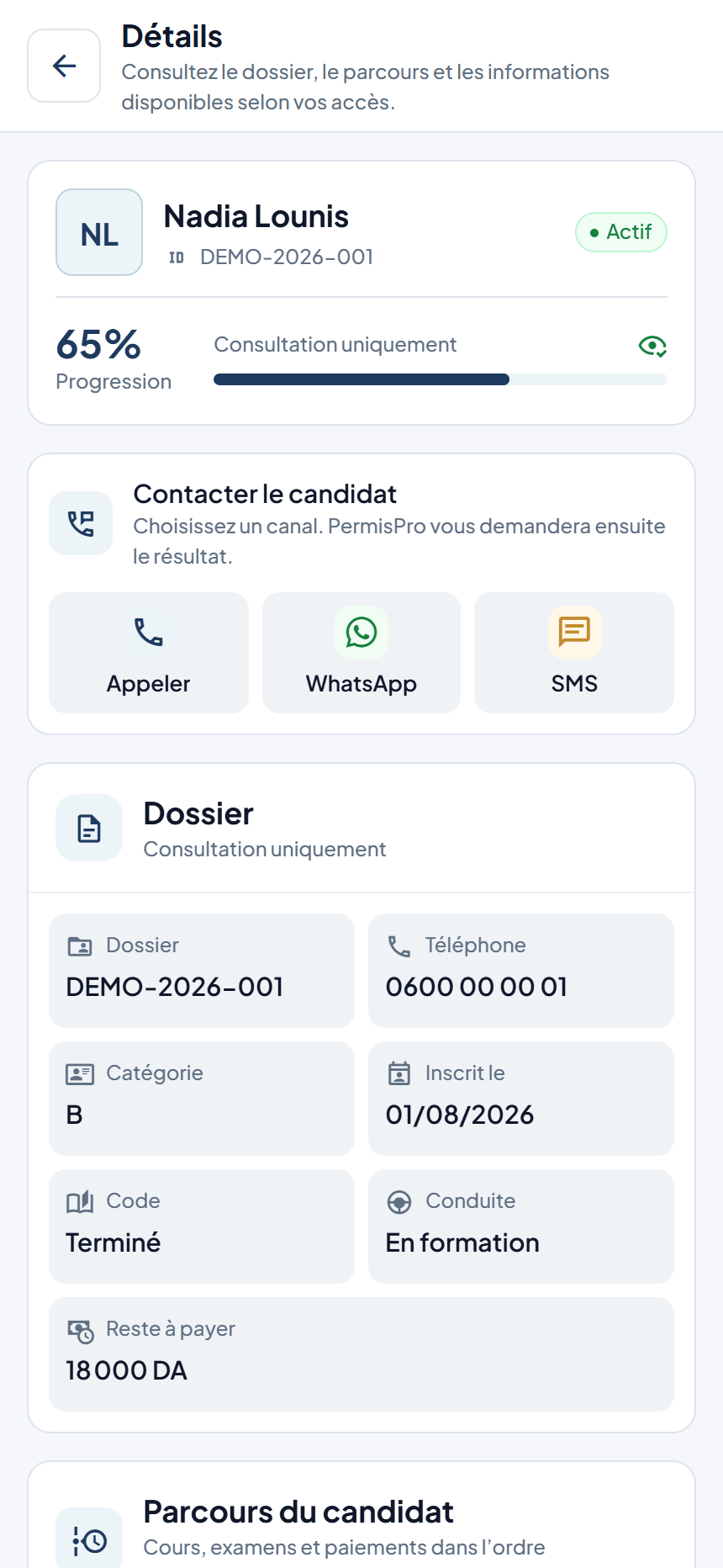
Find contact details, enrolment and candidate history in one record.
Track planned and completed lessons with the assigned instructor and vehicle.
Keep exam dates, permit categories and results close at hand.
Review amounts paid, the remaining balance and the candidate’s receipts.
Photograph documents on Android, receive them on Windows and review suggested information before accepting it.
The office stays in control. The phone helps when the team is on the move.
Windows remains the control centre. On an authorized phone, you can check candidates and appointments, confirm a call or message, and photograph documents for the office to review.
Each phone sees only what you allow.First connect the phone from PermisPro on Windows.
Choose the user on Windows and let them scan the temporary QR code. Then approve that phone’s permissions in Phone Manager. The phone waits for approval and never needs the owner’s password.
In Windows Phone Manager, choose the team account and generate a one-time pairing code.
The code works for a few minutes and only once, so the phone can connect without the owner’s email or password.
After the QR scan, Windows opens the phone’s permissions. Select and save its access; the phone checks for approval and synchronizes the allowed information. You can change or revoke access later.
Look up a candidate, check the schedule, confirm a call, or photograph a document. Full management stays on Windows.
Choose a day in the five-day strip to see the next lesson and its status. Find a candidate or follow up missing documents and balances without filling the home screen with permissions.
Search by name, file number, or phone. Open a profile to see progress, documents, lessons, exams, and permitted financial and communication history.
Lessons, exams, receipts, balances, and recent payment history according to permission.
Open Operations to consult synchronized instructors, vehicles, and recent team activity according to your access.
Check the sync state and refresh when needed. Dates follow Algerian time; new changes require Windows and the phone to reconnect.
Each user sees only what they are allowed to see. Remove a phone at any time and update the app in a few taps.
PermisPro prepares the number or message. Nothing opens on the phone until its user confirms. Once completed, the result returns to the candidate’s history.
Choose 1 to 12 pages. Paper-corner detection and automatic capture preserve colour and send the pages to Windows. Receipt is confirmed before OCR; the proposed information fills an unsaved candidate draft, preserving your manual changes. Arabic and Latin text can be read, but accuracy depends on the document and image quality: check important values before saving.
Explore the current interface with fictional demonstration records. The scanner stays in the centre of the five main actions; account and settings are reached from the header menu. Available actions depend on your phone’s permissions.
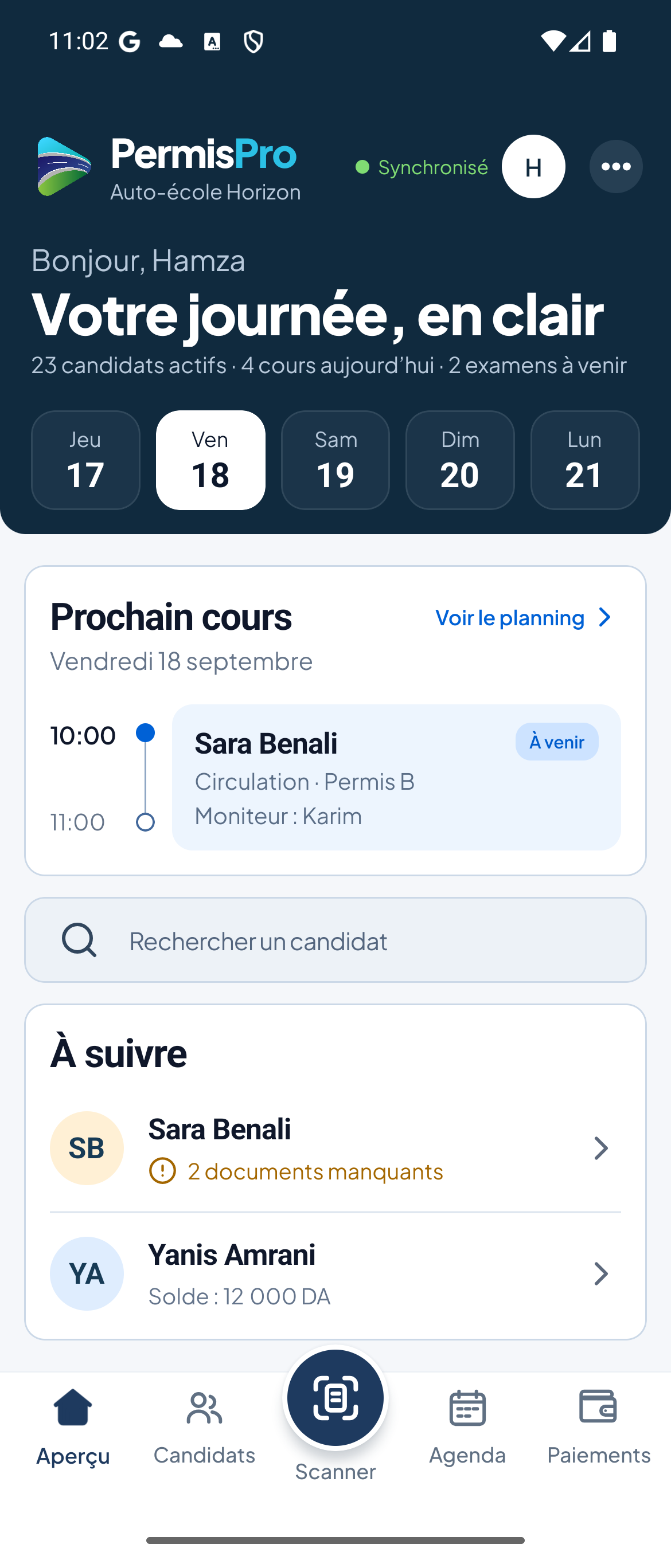
Five Algerian dates, the next lesson, candidate search and useful follow-up. This is a capture of the current Android interface with fictional records.
Explore the features for daily work, reports, backups, updates, and support.
Find the complete record, even after it has been archived.
See the next actions and coordinate your team's work.
Keep exam dates and vehicle status under control.
Track collections, expenses, and balances accurately.
The office decides exactly who can see and do what.
Send documents from the phone to the correct Windows draft.
Add records without a multi-step wizard or losing your data.
Local reading for everyday use; the large model is a choice for a suitable computer.
View key information on Android within the phone's permissions.
A bilingual interface and tools that keep you in control.
See how PermisPro looks and works before you buy.
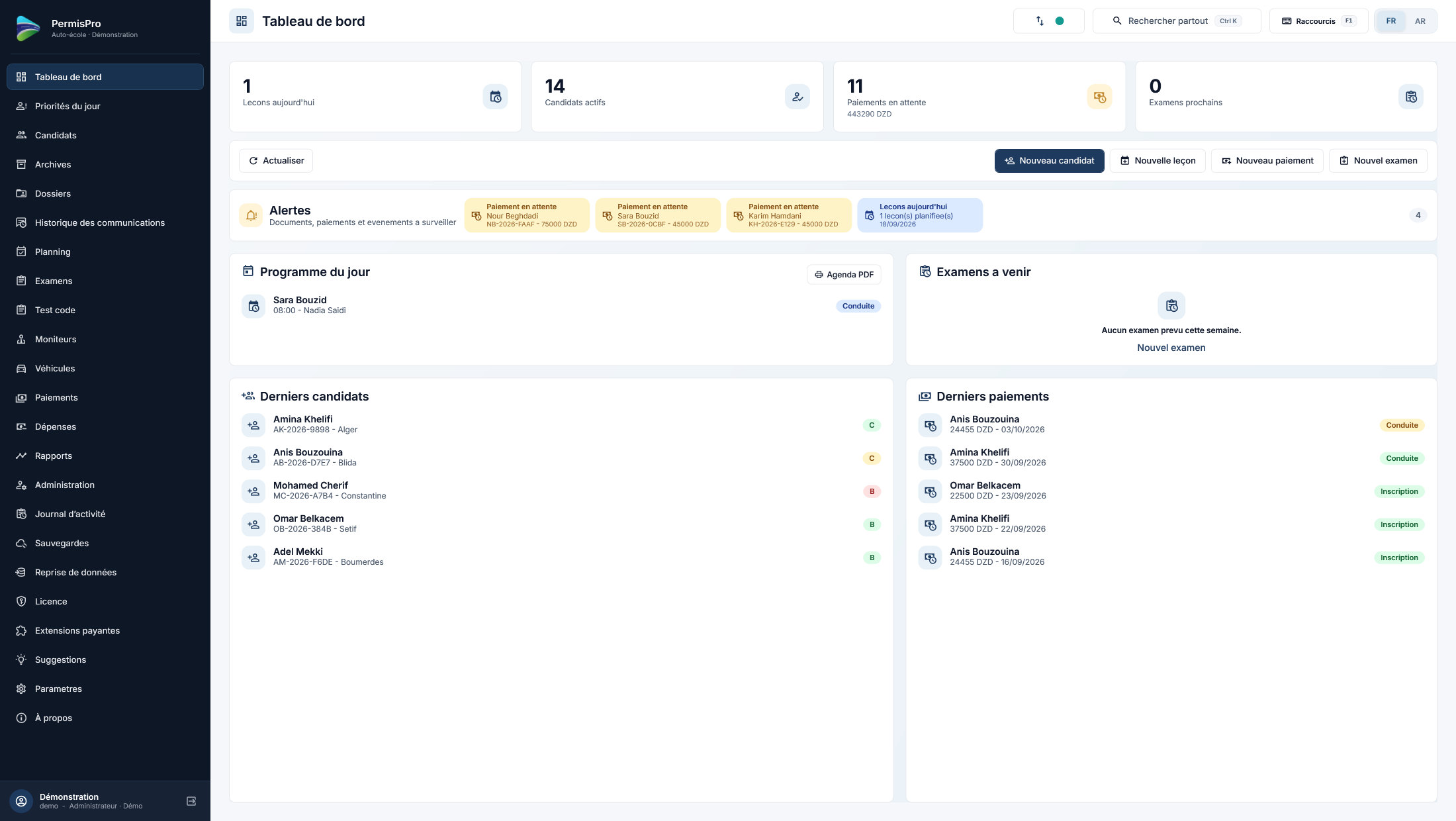
These screens use fictional demonstration data. Screenshots show the French interface; the app is also available in Arabic.Follow candidates, lessons, payments and important alerts from one clear screen.
Choose the plan that suits your business. Your WhatsApp order opens with the product and plan already selected.
A guided 3-day trial: we set up your driving school with you and explain the main tasks.
Introductory offer for new customers who want to start without a long commitment.
Save 20% compared with six monthly payments at the regular rate.
The recommended offer: approximately 1,666.67 DA per month, saving 33% compared with twelve monthly payments at the regular rate.
One payment to keep using the PermisPro version you purchased, without a time limit.
PermisPro works fully without these options. Add them only if you want an extra online backup or ready-to-use message templates.
A protected copy kept online that you can restore directly from PermisPro.
Ready-to-use French and Arabic messages kept up to date by Fikrova and available for WhatsApp.
Online backup and ready-to-use messages together at a better price.
Your customer account will show the available offers and create the corresponding order.
We support familiar Algerian payment methods with receipt-based confirmation.